Best Battery Backup (UPS) for Fiber ONT
When people think about keeping their internet online during a power outage, they usually focus on their Wi-Fi router. However, if you have fiber internet, there is another important piece of equipment that also needs power: your Optical Network Terminal, commonly called an ONT. If you’re new to fiber service, you may be used to the concept of this device as a “modem” like you used with previous cable internet providers. However, ONTs are a different classification which serve a similar purpose.
Your ONT is the device that receives the fiber-optic connection from your internet service provider and converts that signal into a connection your router and other networking equipment can use. Even though the internet signal travels through fiber, the ONT itself still requires electricity.
Without power to the ONT, your fiber internet connection will stop working even if your Wi-Fi router remains powered.
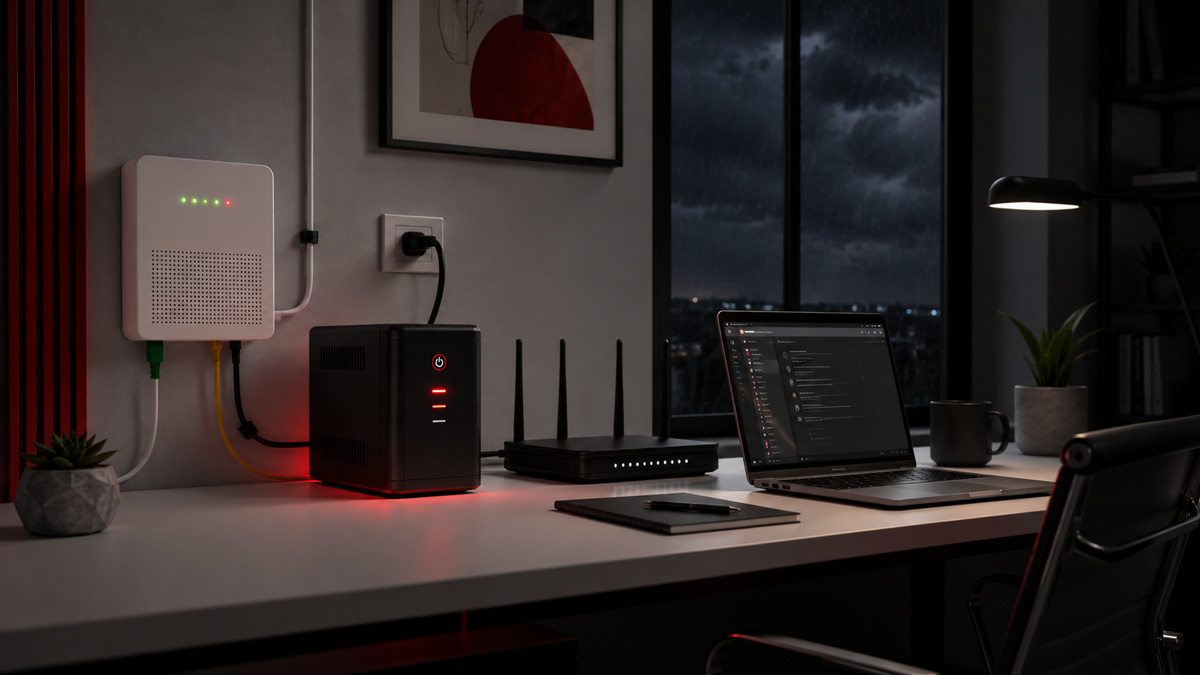
At the Igniting Business office, we use CyberPower battery backups to protect our ONT and other networking equipment. I have personally tested the UPS units with our networking stack and ONT, and they have worked exceptionally well.
Table of Contents
- TL;DR: Why Use a Battery Backup for Your ONT?
- What Is an ONT?
- Will Fiber Internet Work During a Power Outage?
- Your Internet Provider’s ONT Battery May Not Power Internet Service
- Prevent ONT Reboots and Internet Reconnection Delays
- Protect Your ONT from Brownouts and Voltage Fluctuations
- Best UPS Battery Backups for an ONT
- How to Connect an ONT to a UPS
- How Long Will a UPS Power an ONT?
- Bottom Line: Should You Use a Battery Backup for Your ONT?
TL;DR: Why Use a Battery Backup for Your ONT?
A UPS, or Uninterruptible Power Supply, can keep your fiber ONT powered during brief power outages, brownouts, and voltage fluctuations.
Using an ONT battery backup can help you:
- Keep your fiber internet connection active during power outages
- Prevent unnecessary ONT restarts
- Avoid lengthy internet reconnection times
- Protect your ONT’s power supply from surges and unstable voltage
- Maintain access to cloud services, Wi-Fi calling, security systems, and other connected technology
However, powering your ONT alone is not enough. Your router, network switch, Wi-Fi access points, and other required networking equipment must also remain powered.
For a more detailed explanation of protecting the rest of your network, read our guide on using a UPS battery backup for your Wi-Fi router and modem.
What Is an ONT?
ONT stands for Optical Network Terminal. It serves as the connection point between your internet service provider’s fiber-optic network and the networking equipment inside your home or business.
In simple terms, the ONT converts the optical signal traveling through the fiber line into an electrical signal that can be sent to your router, network switch, phone system, or other equipment.
Depending on your installation, the ONT may be:
- Mounted inside your home or business
- Installed in a garage, basement, utility room, or networking closet
- Mounted outside while its power supply is located indoors
- Integrated into another gateway or networking device
Regardless of its location or design, the ONT requires a power source to operate.
Will Fiber Internet Work During a Power Outage?
Fiber internet may continue working during a local power outage, but only when all the necessary equipment remains powered.
Internet service providers commonly have generators, batteries, or other backup systems supporting portions of their network. However, this does not keep the equipment inside your home or business running.
To maintain internet access, you may need battery backup for:
- The ONT
- Your router or firewall
- Network switches
- Wi-Fi access points
- Computers or other devices you plan to use during an outage
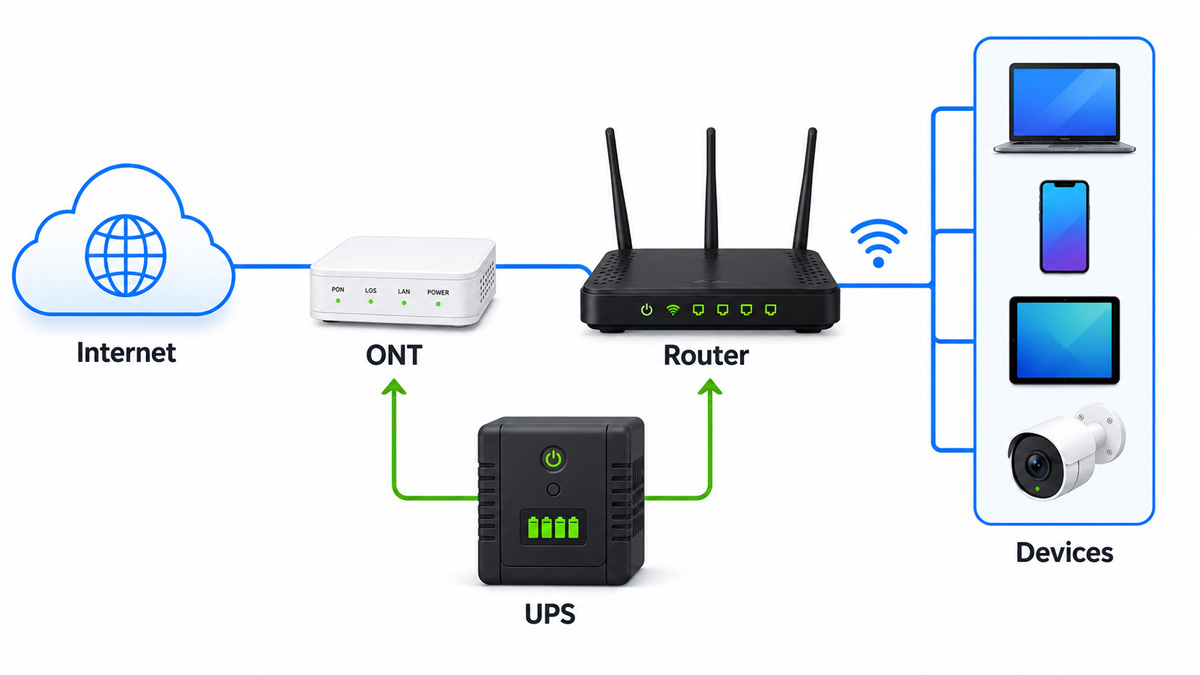
Even when all your local networking equipment has battery backup, internet availability still depends on your provider’s network remaining operational. A UPS cannot prevent an outage caused by damaged fiber lines, failed provider equipment, or a broader service interruption.
However, it can prevent your internet from going down simply because the power briefly flickered at your property or due to a longer localized power outage.
Your Internet Provider’s ONT Battery May Not Power Internet Service
In rare cases, fiber installations may include a battery backup unit supplied by the internet or phone provider. Unfortunately, you should not automatically assume that this battery will keep your internet connection active.
Some provider-supplied backup systems are designed primarily to preserve basic telephone service during an emergency. For example, Verizon explains that its PowerReserve system supports basic voice calls but does not power Fios internet or television service during an outage.
The specific capabilities will depend on your provider and the equipment installed at your property. Check with your internet service provider to determine:
- Whether your ONT includes a backup battery
- Which services the battery supports
- How long the battery is expected to last
- Whether you are responsible for replacing or maintaining it
Even when an ONT has a built-in or provider-supplied battery, using a separate UPS may provide broader protection and allow you to power additional networking equipment.
Prevent ONT Reboots and Internet Reconnection Delays
A power outage does not have to last several minutes to disrupt your internet.
A one- or two-second power interruption can be enough to restart your ONT. Your router may remain powered by a separate UPS, but it cannot access the internet while the ONT is rebooting.
Once power returns, the ONT must restart and reestablish its connection. Your router and connected devices may then need additional time to recognize that the internet connection is available again.

The entire process can interrupt:
- Video meetings
- VoIP phone calls
- Cloud-based applications
- Online payment systems
- File uploads and downloads
- Remote desktop sessions
- Security cameras and monitoring systems
- Cloud-based data backup tasks
A UPS bridges these short power interruptions, so the ONT never shuts down in the first place.
Protect Your ONT from Brownouts and Voltage Fluctuations
Battery backups are not only useful during complete power outages.
High-quality UPS units with Automatic Voltage Regulation, or AVR, can correct certain low- and high-voltage conditions without switching to battery power. This helps provide more consistent electricity to connected equipment while reducing unnecessary battery use.
Both CyberPower models recommended in this article feature AVR technology. CyberPower states that AVR helps correct minor power fluctuations and can extend battery life by avoiding unnecessary transitions to battery power.
A UPS can help protect your ONT and its power supply from:
- Brownouts
- Voltage fluctuations
- Power surges
- Brief electrical interruptions
As I mentioned in our router and modem battery backup article, I would not recommend purchasing a UPS without Automatic Voltage Regulation.
Best UPS Battery Backups for an ONT
An ONT generally consumes much less power than a desktop computer. This means you do not necessarily need an extremely large UPS if you are only protecting the ONT.
However, a larger UPS provides additional battery capacity and allows you to protect your ONT, router, network switch, and other essential networking equipment with the same unit.
At Igniting Business, we use and recommend the following two CyberPower models. We have tested both units with multiple networking devices, and they have worked great for keeping our office network online during power fluctuations and outages.
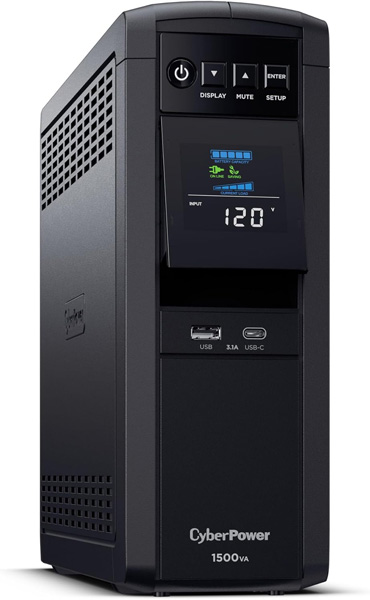
CyberPower CP1500PFCLCD PFC Sinewave UPS
The CyberPower CP1500PFCLCD is our favorite UPS and the model we use most frequently at Igniting Business. We also frequently use this particular UPS model to provide battery backup for a NAS or server.
It offers 1500VA and 1000 watts of capacity, pure sine-wave battery output, Automatic Voltage Regulation, and 12 outlets. Six outlets provide both battery backup and surge protection, while the remaining six provide surge protection only.
For ONT installations, this is the model I recommend when you want to power several pieces of network equipment, such as:
- Your ONT
- A router or firewall
- A network switch
- A Wi-Fi access points
- A VoIP phone base station
The CP1500PFCLCD offers far more capacity than an ONT requires by itself, but that additional capacity can provide longer runtime and room for other essential equipment.
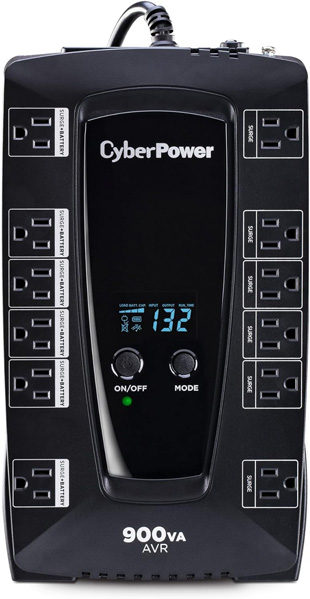
CyberPower AVRG900LCD
The CyberPower AVRG900LCD is a more affordable option for an ONT or a relatively simple home or small-office network.
It provides 900VA and 480 watts of capacity, Automatic Voltage Regulation, and 12 outlets. Six outlets include battery backup and surge protection, while six are surge-protection-only outlets.
Its compact, flat design may also make it easier to place near an ONT power supply in a utility room, networking closet, or home office.
The AVRG900LCD is a great choice when you primarily need to power:
- An ONT by itself
- An ONT and basic router
- An ONT and small network switch
The AVRG900LCD provides less battery capacity than the CP1500PFCLCD, but it is usually more affordable and remains more than capable of supporting low-power networking equipment.
How to Connect an ONT to a UPS
In many installations, you do not connect the outdoor ONT enclosure directly to the UPS. Instead, you connect the ONT’s indoor power adapter or power supply.
Look for the electrical cord or power adapter associated with your ONT and plug it into one of the UPS outlets labeled for both battery backup and surge protection.
Be careful not to use an outlet that provides surge protection only. Equipment plugged into a surge-only outlet will still turn off during a power outage.
You should also avoid opening, modifying, or bypassing equipment installed by your internet provider. Contact your provider when you cannot identify the correct ONT power supply or are unsure how the equipment is configured.
After installation, test the setup:
- Confirm that your ONT and internet connection are working normally.
- Carefully unplug the UPS from the wall without turning off the UPS.
- Confirm that the UPS switches to battery power.
- Verify that the ONT remains powered.
- Test your internet connection from a connected device.
- Plug the UPS back into the wall.
Testing the setup is important because it confirms that the ONT is connected to a battery-backed outlet and that all other required networking equipment remains powered.
How Long Will a UPS Power an ONT?
The exact runtime will depend on:
- The ONT’s power consumption
- Other equipment connected to the UPS
- The UPS model and battery capacity
- The age and condition of the batteries
- Temperature and storage conditions
- The amount of electricity being used by the entire network stack
Because ONTs generally draw relatively little electricity, a UPS may run considerably longer than its published runtime at half or full load. However, you should not rely on a generic estimate.
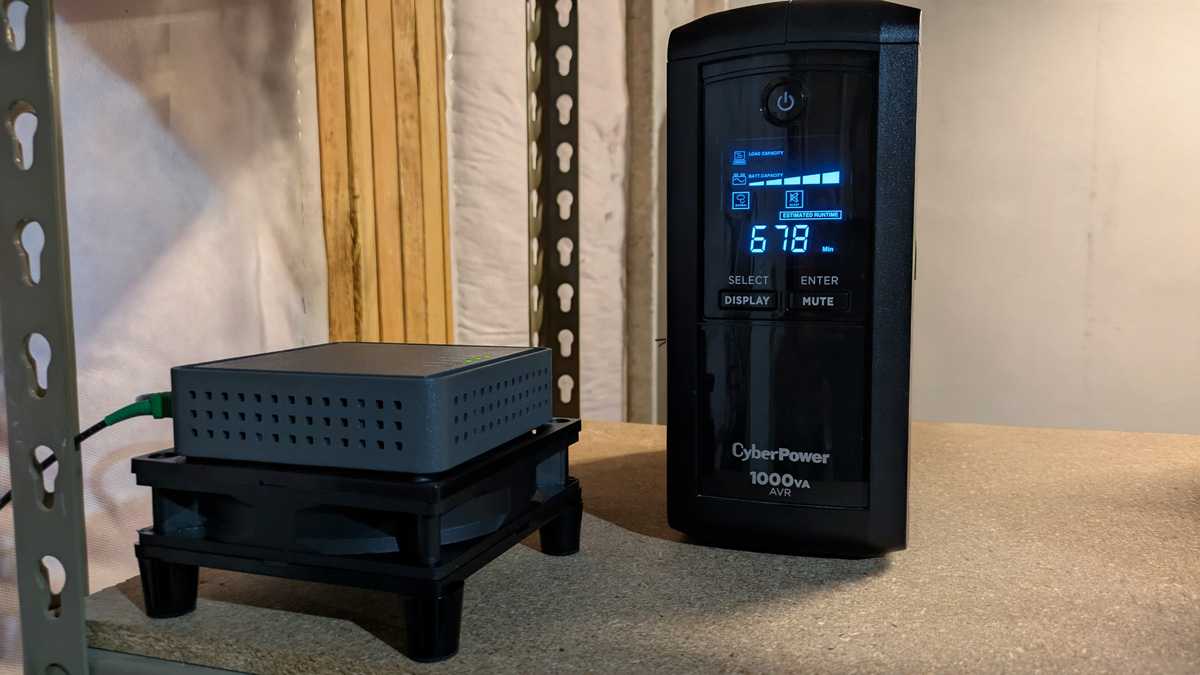 Example of Calix Gigapoint ONT protected by an older CyberPower UPS 1000VA AVR model with estimated runtime of 678 minutes. Note that runtime is positively impacted in this use case since the only device battery backed up on this UPS is the ONT.
The best approach is to test your actual equipment and review the estimated runtime shown on the UPS display. Retest the system periodically as the batteries age.
Bottom Line: Should You Use a Battery Backup for Your ONT?
Yes. If your home or business depends on fiber internet, your ONT should be connected to a reliable battery backup.
An ONT UPS can keep your fiber connection active during short power outages, prevent unnecessary reboots, protect equipment from voltage fluctuations, and help your network recover more reliably from electrical problems.
Just remember that the ONT is only one part of the network. Your router and any required network switches or Wi-Fi equipment must also remain powered for your devices to access the internet.
At the Igniting Business office, we use CyberPower UPS units to protect our ONT and broader network infrastructure. Based on our hands-on testing, the CyberPower CP1500PFCLCD is our preferred option for maximum capacity and runtime, while the CyberPower AVRG900LCD is an excellent, more affordable choice for a basic ONT setup.
A battery backup is a relatively simple investment that can prevent frustrating interruptions and make your fiber internet connection significantly more resilient.
At no additional cost to you, we may receive a commission if you click on some of the links on this website and make a purchase.