LinkedIn Premium Company Page Features – Are They Worth the Cost?
In June 2024, LinkedIn rolled out LinkedIn Premium Company Pages. According to LinkedIn, a LinkedIn Premium Company Page includes additional features that help “grow your business and expand your network.”
A LinkedIn Premium Company Page subscription is separate from a LinkedIn Premium subscription that upgrades your personal profile. Each of these two premium upgrades have different benefits. In this article we discuss LinkedIn Premium Company Pages only.

In October 2024, I evaluated the LinkedIn Premium Company Page upgrade for 30 days (equivalent to a full month’s subscription of the service) using our own Igniting Business company page for the experiment. Our goal was to explore the new features and determine whether the upgrade was worth recommending to our clients.
In September 2026, we received another free 30-day trial of LinkedIn Premium Company Pages, allowing us to evaluate its new and updated features. We have updated this post to reflect our findings from this second trial.
While the upgrade typically costs $99.99 per month (when paid monthly), we were able to test this upgrade for free thanks to a publicly available 30-day free trial. LinkedIn did not compensate us in any way for this evaluation.
Table of Contents
- How to Upgrade Your LinkedIn Company Page to Premium
- LinkedIn Premium Company Page Subscription Cost
- Analysis of LinkedIn Premium Company Page Features
- Automatically Invite Prospects Who Have Engaged with Your Content
- Increase Your Custom Call to Action (CTA) Button’s Visibility
- Add a Client Testimonial
- Highlight Your Company’s Awards, Certifications, and More
- See Who’s Visited Your LinkedIn Company Page
- Dynamic Cover Image (Slideshow)
- Get More Service Requests with Premium
- LinkedIn Premium Company Page Discounts
- Is a LinkedIn Premium Company Page Subscription Ideal for Medium to Large Businesses and Enterprises?
- Is a LinkedIn Premium Company Page Worth the Cost for Small Businesses?
How to Upgrade Your LinkedIn Company Page to Premium
Upgrading our LinkedIn Company Page to Premium was straightforward. To upgrade, follow these simple steps:
- Navigate to your LinkedIn company page from a LinkedIn account that has Super Admin access.
- Click the “Try Premium Page” option in the left-hand menu.
- Review the eligibility requirements, available upgrades, and FAQs.
- Select “Try Premium Page” and follow the onscreen instructions.
- Note that you will be required to enter a credit card and select whether you want to pay monthly, quarterly, or annually. Though you will not be charged for the 30-day free trial, LinkedIn will automatically charge your credit card when the trial is over if you have not canceled before that date.
- The onboarding process will use AI to help draft content for several key sections of your page based on data it collects from your profile and company website. Keep in mind that this content will replace existing content in the fields being updated. The upgrade process will also prompt you to enable several core Premium features.
- You can enable and customize additional features from your Premium page after upgrading.
LinkedIn Premium Company Page Subscription Cost
The current price to upgrade to a LinkedIn Premium Company Page is $99.99 per month when billed monthly. Discounted options include annual billing at $839.88 per year (equivalent to $69.99 per month) and quarterly billing at $257.97 per quarter (equivalent to $85.99 per month).
We have also seen LinkedIn offer monthly pricing approximately $10 lower, suggesting that the company may be testing different price points to increase adoption of the Premium upgrade.
Analysis of LinkedIn Premium Company Page Features
LinkedIn Premium Company Pages offer multiple features that are unavailable on standard company pages. We tested all available features during our October 2024 and September 2026 experiments, except AI-assisted post drafting.
Automatically Invite Prospects Who Have Engaged with Your Content
LinkedIn Premium Company pages have a feature that saves you time by automatically inviting prospects who have engaged with your content to follow your page. This is a feature that you can simply toggle on/off and LinkedIn does the rest.
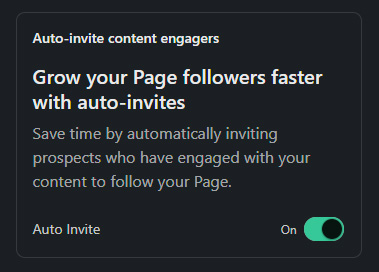
The auto-invite content engagers is by far one of our favorite features of premium since it can help grow your following without any ongoing work from your team. Naturally, a larger following can also help increase the visibility of future posts on your company’s LinkedIn page.
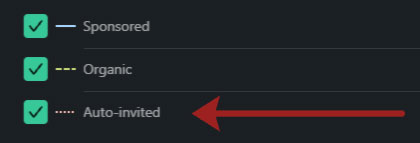
Within the Follower Metrics section of your LinkedIn Analytics, LinkedIn shows how many followers came from sponsored activity, organic activity, and automatic invitations. This makes it easier to assess whether the auto-invite feature is generating additional followers.
During our September 2026 trial, LinkedIn attributed 33% of our new followers to the auto-invite feature. We did not run any sponsored posts or paid LinkedIn campaigns during that period. This reporting breakdown was not available during our October 2024 trial, so we could not isolate the feature’s contribution at that time. If you test Premium, check your follower analytics to see how auto-invites contribute to your audience growth.
Technically, you can already invite your connections to follow your company page without a Premium Company Page subscription. However, manual invitations may be less effective because you may not know which connections have engaged with your content or are interested in your business.
Increase Your Custom Call to Action (CTA) Button’s Visibility
With a LinkedIn Premium Company Page, you can increase the visibility of your page’s custom call-to-action (CTA) button. You configure this button in your page settings, and Premium allows you to display it in your page header, on your page’s posts, and in search results.
However, the “custom” call-to-action is still not truly custom. You still must choose the CTA button text from the same limited list of options available to free company pages.

As a feature request to LinkedIn, I would recommend allowing Premium pages to use their own button text, which would make this feature far more valuable..
Add a Client Testimonial
With premium, you can highlight one customer testimonial at the top of your page.
While we like this feature’s concept, the testimonial is limited to 250 characters which we think is far too short. We struggled to find a client testimonial short enough to fit. Hopefully, LinkedIn will increase the character limit in the future.

Additionally, the review content is truncated when users are visiting the page, which requires them to click “show all” to see the full details.
LinkedIn later added the option to include a photo with the testimonial, which can make it more visually appealing than the example above.
Highlight Your Company’s Awards, Certifications, and More
This is one of the most customizable premium features as it is the most open-ended in terms of what you can do with it. LinkedIn mentions using this feature to highlight your company’s strengths and gives examples of recent awards, certifications, rankings, news features, and more. You can add up to four highlights and manually define their display order. The first highlight will be displayed on your LinkedIn page header and within search results.
The feature allows you to add text, a small image, and a clickable link.
However, we used this feature as an alternate way to add truly custom calls to action. Take a look at the example below where we highlighted additional customer reviews and our free monthly newsletter.

See Who’s Visited Your LinkedIn Company Page
LinkedIn Premium Company Pages include a section that reveals selected page visitors, including their full name, LinkedIn title, location, and industry. You can also click through to view each visitor’s full LinkedIn profile.
However, this feature has some significant limitations. You can only “see one new page visitor per day.” While this only gives you a glimpse into roughly 30 visitors per month, you can see the history of the visitors revealed over the past year, for a maximum total of 365 visitors. The daily limit of one visitor degrades the value of this feature, as you’ll likely only be seeing details on a small fraction of your overall page visitors.
Dynamic Cover Image (Slideshow)
With a LinkedIn Premium Company Page, you can update your static cover photo to a dynamic cover image. A dynamic cover image allows you to create a slideshow of up to 5 images at the top of your page instead of a single static photo. This feature is touted to "make a stronger first impression." We do believe this feature can be used to help your business stand out by showcasing multiple images that catch the visitor's attention.
Keep in mind that the cover image allowed size is extremely limited, so plan your graphic design accordingly. You can upload up to five images, each measuring at least 1128 pixels wide by 191 pixels high. Maintain that aspect ratio when creating higher-resolution graphics to avoid unintended cropping. Each image must be in PNG or JPEG format and no larger than 3 MB
Get More Service Requests with Premium
With Premium enabled on your LinkedIn Company page, you can get "exclusive services matches from people interested in services like yours." Essentially, LinkedIn states that you can "Receive additional projects that match the services you offer" with Premium. Learn more about this feature.
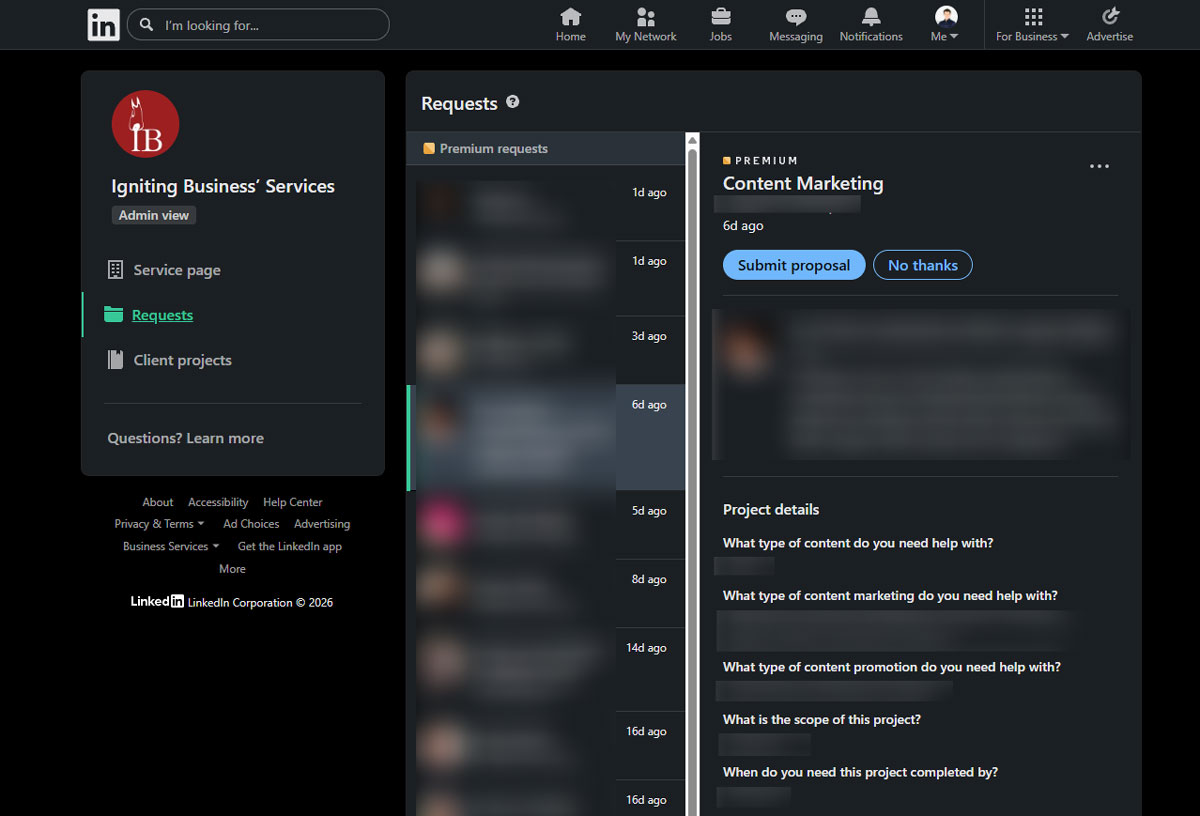
Technically, you can already create a service page with a standard (non-premium) account. However, the Premium version can increase the number of leads coming in through your company page. If you already use LinkedIn’s service request feature, we recommend testing Premium to see whether it improves lead quality or increases lead volume. Depending on your typical cost per lead and conversion rate, the upgrade may be worthwhile. Evaluate it by carefully tracking conversions and the value of the leads you receive.
Please note that eligibility for Service pages is limited by numerous changing factors such as account type, number of employees, etc. Consult LinkedIn's documentation or support team with any eligibility questions.
LinkedIn Premium Company Page Discounts
LinkedIn also touts that you can get a one-time $750 ad credit which can certainly recoup some costs if you’re planning on running an ad campaign. However, this ad credit requires that you spend $1,000 in advertising before earning the account credit. Additionally, LinkedIn showcases access to discounts on QuickBooks, Microsoft 365, Every, and more.
If you are planning your first LinkedIn advertising campaign, you may be able to obtain an introductory ad credit directly through the ad account setup process without subscribing to a Premium Company Page.
Is a LinkedIn Premium Company Page Subscription Ideal for Medium to Large Businesses and Enterprises?
In our opinion, the auto-invite and company highlights features alone can make a LinkedIn Premium Company Page subscription worthwhile for medium and large businesses. These two features can be used to increase your follower count with auto-invites and drive customers to designated landing pages via the company highlights.
The Premium upgrades can be especially helpful if your business heavily uses LinkedIn for lead generation or hiring.
Is a LinkedIn Premium Company Page Worth the Cost for Small Businesses?
For most small businesses, we do not think the $99.99/month price tag for a LinkedIn Premium Page is currently worth the cost based on the features offered.
During our October 2024 trial, follower growth was negligible. In our September 2026 trial, LinkedIn’s updated reporting made the auto-invite feature’s contribution clearer: it accounted for 33% of our new followers. We also saw an increase in service requests that LinkedIn matched to multiple providers, including Igniting Business. However, our conversion tracking showed no noticeable increase in form submissions or phone calls attributed to LinkedIn compared with either the previous month or our average monthly performance over the preceding twelve months.
We believe you must have a sizable following on LinkedIn and have a high value per customer (e.g. B2B with large transactions) to benefit notably from these features.
That said, I am sure there are some small businesses that are heavy on high-dollar B2B sales where this might be worth it if they have a specific use case for one or more of the premium features. However, for most small businesses, they would likely be better off spending the same $100 a month (or less) on other tools like the following:
- Track all your marketing efforts conversions (form submissions, phone calls, chats, e-commerce transactions, etc.) with cross-channel attribution and conversion tracking tool, WhatConverts.
- Automate your social media management and posts using a centralized social listening, scheduling, and engagement tool, Zoho Social.
- Track your performance within search engines and improve your SEO with BrightLocal’s local SEO toolset.
For more tips on understanding and leveraging different platforms for your business, subscribe to our monthly newsletter.
If a LinkedIn representative identifies any factual errors in this article, please submit an edit request via our contact form. We will review the request and update the article as needed.
At no additional cost to you, we may receive a commission if you click on some of the links on this website and make a purchase.