Why Every Small Business Needs a Branded Professional Email Address (Not @gmail.com)
A custom-domain email address is more than a polished signature. It helps establish trust, keeps business accounts under company control, and creates infrastructure that can grow with the organization.
If your business email ends in @gmail.com, @outlook.com, @yahoo.com, or a domain supplied by your internet service provider, one of your most visible brand touchpoints is owned by another company. Customers see your email address on estimates, invoices, proposals, appointment confirmations, account invitations, and more. That repeated impression matters.
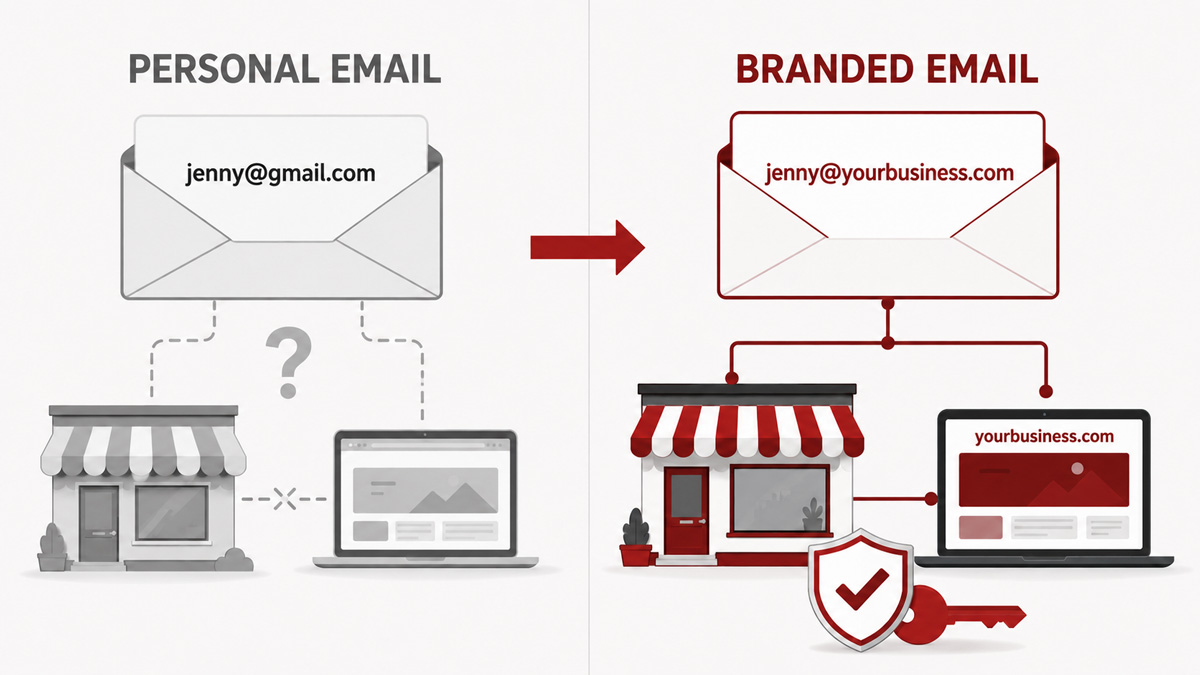
A branded professional address such as ben@yourbusiness.com is a relatively small investment that can make an established business look more established, protect its digital accounts, and simplify future growth. The same reasoning applies to every non-branded address, not only Gmail. An internet-provider address creates an extra risk because the business may need to abandon it if it changes providers or moves outside the provider's service area.
Important distinction: Gmail and Outlook are not the problem. A business can still use the familiar Gmail or Outlook interface while sending emails from its own domain through Google Workspace or Microsoft 365.
Table of Contents
- What Is a Branded Business Email Address?
- Why Personal Email Accounts Hold a Small Business Back
- A Branded Address Builds Credibility
- Every Message Reinforces Your Brand
- Business Services Can Connect More Cleanly
- A Matching Domain Can Make Google Business Profile Management Easier
- The Business Keeps Control When Employees Change
- Your Address Stays Stable as the Business Changes
- Professional Services Add Business-Grade Security and Administration
- The Email System Becomes a Transferable Business Asset
- Create Addresses That Match How Customers Contact You
- Recommended Professional Email Platforms for Small Businesses
- How to Setup a Professional Email Address
- Your Business Should Own Its Digital Identity
What Is a Branded Business Email Address?
A branded email address uses a domain your company owns, normally the same domain used for its website. For example, if your website is yourbusiness.com, your email might be jenny@yourbusiness.com or support@yourbusiness.com. The domain is the company's identity registered through a domain registrar; the email provider is the system operating behind it.
This separation gives you flexibility. If you later move from one professional email provider (like Microsoft 365) to another (like Google Workspace), the public-facing addresses can remain the same. Customers will not have to learn a new email address simply because you changed software.
Why Personal Email Accounts Hold a Small Business Back
A Branded Address Builds Credibility
When a prospective customer receives a quote from a personal email address, it can create an avoidable question: Is this an established company or an individual operating temporarily? That hesitation may be small, but trust is often built from small signals. A matching-domain address reinforces that the message came from the business the customer researched.
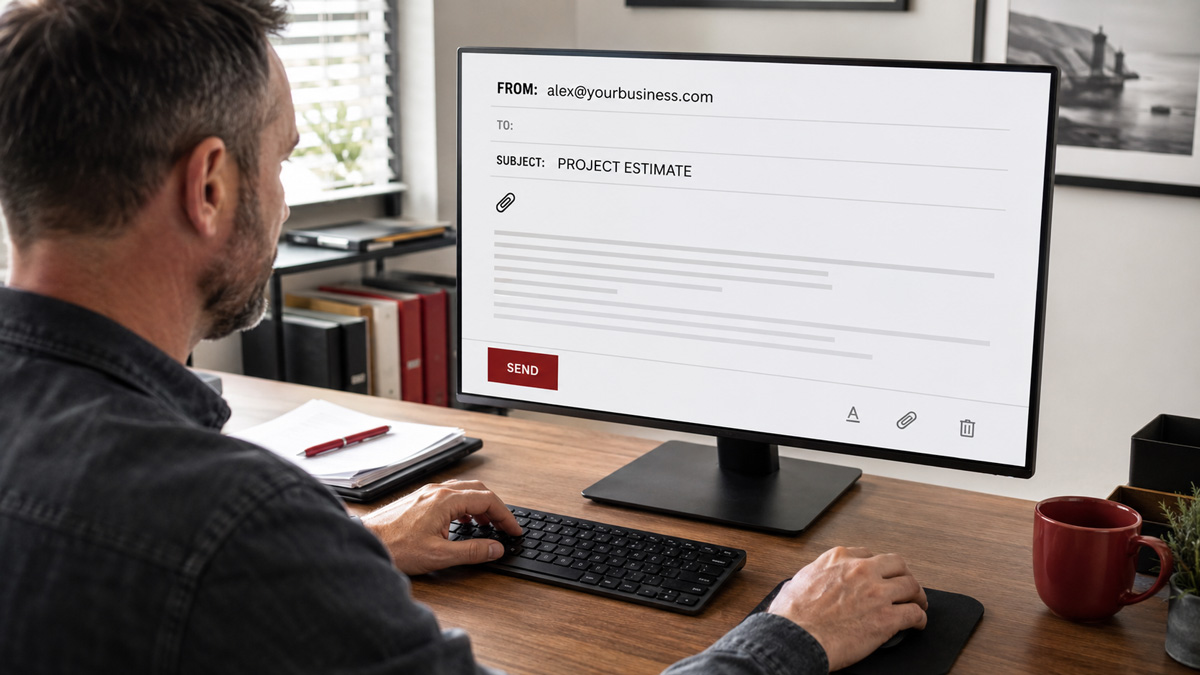
This is especially important when requesting payment, sending contracts, discussing confidential information, or contacting another business. A custom email address will not replace good service or a professional website, but it helps the entire presentation feel consistent.
Every Message Reinforces Your Brand
Your domain appears every time you send an email. Instead of repeatedly advertising Gmail, Yahoo, Microsoft, etc., you reinforce your own business name and website. The recipient can also identify your website more easily without searching for it.
Business Services Can Connect More Cleanly
Many business platforms use an email domain to associate users with an organization, confirm that someone has a legitimate relationship with a company, or decide whether an address qualifies as a work email. Consumer addresses may be accepted, but they can trigger extra verification or make ownership less clear.
Free personal accounts also lack many controls businesses eventually need: centralized user administration, role-based addresses, shared mailboxes, organization-wide security policies, and dependable ownership transfer. The issue becomes more noticeable as soon as a company adds employees, contractors, a CRM, accounting software, advertising accounts, or other connected systems.

Some systems, including email marketing systems, won’t even let you utilize their system with an @gmail.com or @outlook.com address. As such, you’re fighting an uphill battle if you keep trying to use a personal email address.
A Matching Domain Can Make Google Business Profile Management Easier
Google allows a Google Business Profile (GBP) to be managed with any Google Account, including one created with a non-Gmail address. However, Google's own guidance says, "If you have a company email address, link it to your Google Account. This makes it easier to manage your Business Profile."
Google is even more explicit when discussing bulk verification for businesses with multiple locations. Its Business Profile documentation states, "Email addresses that don't contain the official domain name of the business will require additional steps toward verification and may take longer to process."
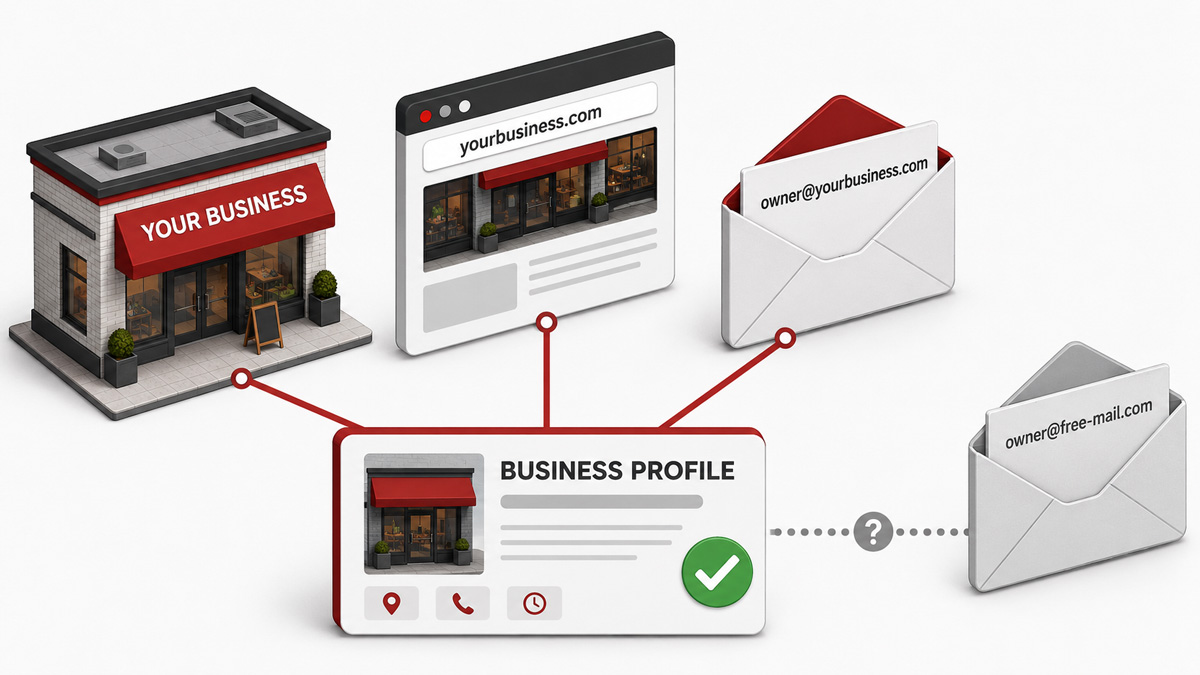
Since founding Igniting Business in 2012, our team has helped manage hundreds of Google Business Profiles. In our experience, an email account using the company’s custom domain name (e.g. @ignitingbusiness.com for Igniting Business) can make the relationship easier to confirm when ownership, verification, or access questions arise. It is not a guarantee that every edit will be approved, but it is a valuable credibility signal that a legitimate business can provide.
The Business Keeps Control When Employees Change
A company should not lose access to customer conversations or critical software because an employee used a personal account. With a properly administered business email system, the company can create accounts, reset passwords, revoke access, preserve necessary records, and reassign a role-based address when someone leaves.
This also makes onboarding cleaner. New employees receive company-managed accounts instead of building business history inside personal inboxes that the company does not own.
Your Address Stays Stable as the Business Changes
An email address tied to a personal email service or internet provider can disappear when you change providers. An address based on an employee's name may no longer make sense when that person leaves.
A domain the business controls provides continuity through staff changes, new locations, new technology, and even a future change in ownership.
Professional Services Add Business-Grade Security and Administration
A custom domain by itself does not automatically make email more secure or improve deliverability. The advantage comes from pairing it with a reputable business email service and configuring it correctly. Your setup can include multi-factor authentication, secure recovery methods, administrative access owned by the company, and domain authentication records such as SPF, DKIM, and DMARC.
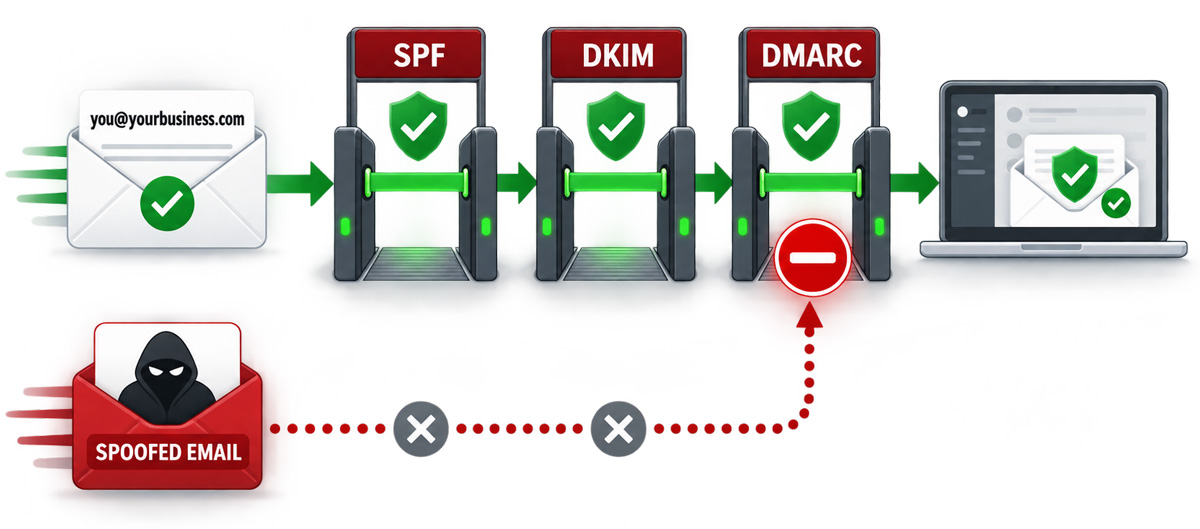
Those authentication records help receiving systems verify that a message is authorized to use your domain and make it harder for criminals to impersonate your business. Established providers also supply spam filtering, malware protection, security updates, monitoring, and support that would be difficult for most small businesses to reproduce on their own.
The Email System Becomes a Transferable Business Asset
A business that may add partners, expand to more locations, or eventually be sold should not build its communications around an owner's personal inbox. A company-controlled email system makes it easier to transfer responsibilities without changing the addresses customers already know. It also keeps important vendor accounts, digital properties, and historical communications attached to the business rather than to one individual.
Create Addresses That Match How Customers Contact You
Most small businesses should create a named address for each employee and a few role-based addresses that can remain stable even when responsibilities change. Depending on the provider, some role addresses can be configured as aliases or groups rather than separate paid mailboxes.
- Named accounts: ben@yourbusiness.com or chloe@yourbusiness.com
- General inquiries: info@yourbusiness.com
- Sales: sales@yourbusiness.com
- Service: support@yourbusiness.com or help@yourbusiness.com
- Administrative functions: admin@yourbusiness.com or careers@yourbusiness.com
Avoid having multiple people share one password. Use aliases, groups, delegation, or shared mailboxes so each person signs in with an individual account and access can be removed cleanly.
Recommended Professional Email Platforms for Small Businesses
There is no single best provider for every business. Choose based on the tools your team already uses, the administrative features you need, and the quality of support available to you.
Microsoft 365
Microsoft 365 for business is a strong fit for companies that work in Outlook, Word, Excel, Teams, and OneDrive. Business plans that include Exchange provide custom-domain email, administrative controls, and built-in protections. It is often the most convenient choice when the team already lives in Microsoft's ecosystem.
Google Workspace
Google Workspace is a natural fit for teams that prefer Gmail and regularly use Google Calendar, Drive, Docs, Sheets, and Meet. It provides custom-domain Gmail alongside centralized account management and business security controls. A paid Workspace account is different from a free @gmail.com account even though the inbox interface feels very similar to Gmail.
Zoho Mail
Zoho Mail offers email-focused plans and broader workplace packages, making it appealing to budget-conscious small businesses or companies already using Zoho applications. Zoho also advertises a free custom-domain plan in select data centers for one domain and up to five users. The free plan has meaningful limits, so availability and features should be confirmed before relying on it.
For a brand-new business with almost no budget, that free tier can be a better starting point than a personal address. Plan to move to a paid tier as the company grows and needs stronger support, more storage, desktop email-client access, or additional administrative features.
Self-Hosted Email on a Server, NAS, or Web Hosting Account
It is technically possible to operate email on your own server or NAS, or to use the mailbox included with a web hosting account. For the vast majority of small businesses, this is not a good idea. Reliable email requires more than creating a mailbox: someone must manage DNS, sender reputation, spam filtering, security patches, backups, monitoring, capacity, and outage response.
We strongly discourage self-hosting unless your company has an IT department with specific email-server expertise. Your business email is too important to depend on a system that nobody is prepared to maintain at 2:00 AM on Sunday. A reputable cloud provider is usually less expensive than the labor and risk involved in operating email correctly.
Do Not Settle for a Forwarding-Only Workaround
Some businesses create an address at their domain but merely forward incoming messages to a personal inbox. That may hide the personal address when receiving email, but it does not provide the administration, security, ownership, or reliable sending configuration of a true business email system. Additionally, when you hit respond, the reply will come from your personal email, confusing users and often getting caught in junk/spam filters. Instead, use a true professional email service like the ones we mentioned in this article.
How to Setup a Professional Email Address
A very technologically confident owner may be able to complete a simple setup. However, an experienced IT provider can reduce the risk of downtime, select the right service, configure authentication, migrate historical email, and connect each employee's devices. They can also configure convenient tools such as Outlook without forcing the company to host its own email.
If you do not already work with a trusted IT provider, contact Igniting Business and we can refer you to one. Email setup is a task where a little professional help at the beginning can prevent a much larger cleanup later.
Your Business Should Own Its Digital Identity
A personal email address may have been sufficient when you were testing an idea or serving your first customer as a side hustle. A personal email address should not remain the foundation of an operating business. Your company already invests in its name, reputation, website, and customer relationships. Its email identity deserves the same level of ownership.
Move to a custom-domain email system before an employee departure, provider change, verification problem, or security incident forces the issue. You will present a more credible brand today while building a cleaner, more transferable business for tomorrow.
Want more practical guidance for strengthening your small business online? Subscribe to the free Igniting Business newsletter.
At no additional cost to you, we may receive a commission if you click on some of the links on this website and make a purchase.